Editing your rewards program
Update how customers earn points at any time from your dashboard.
Overview
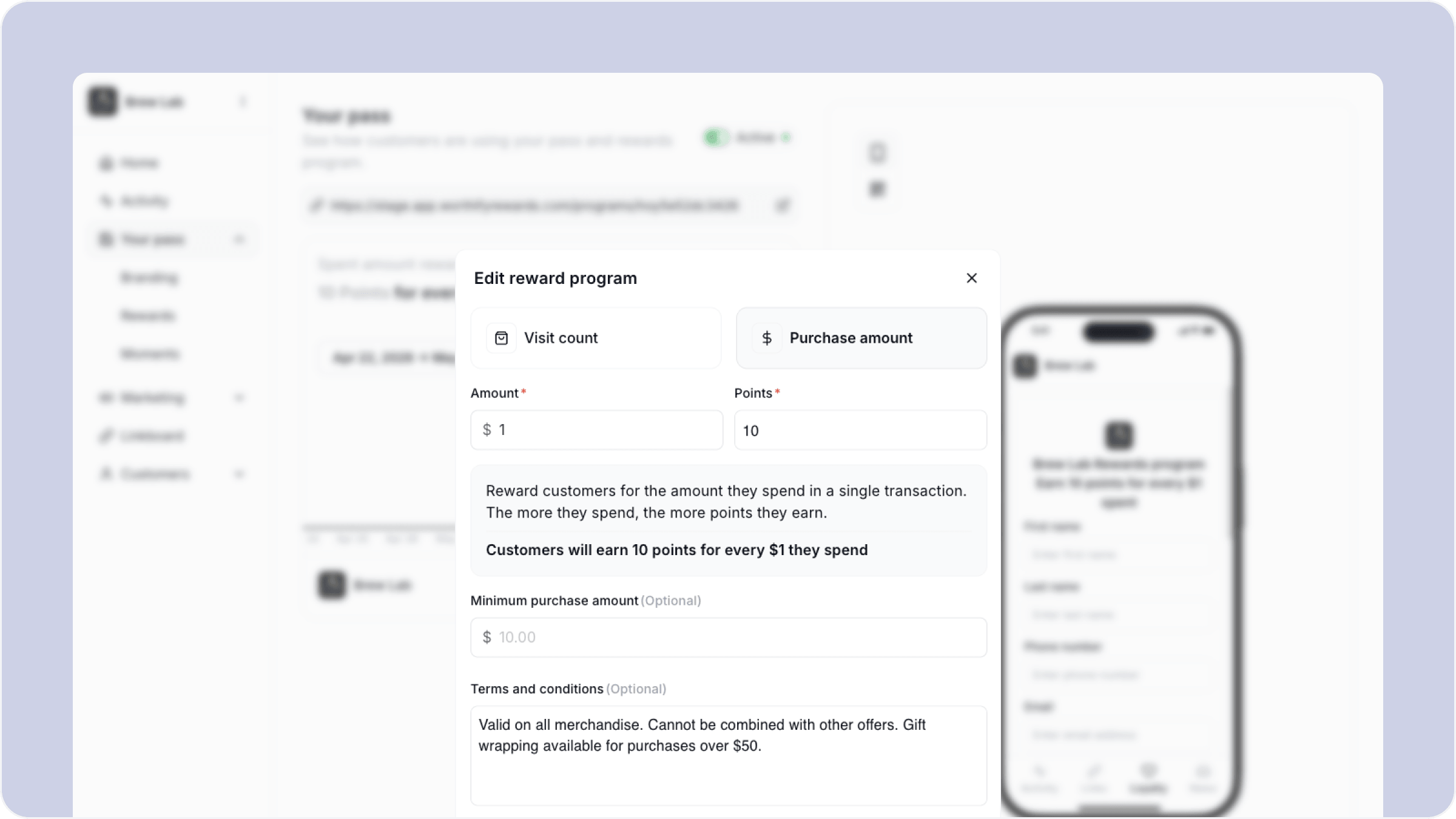
Your rewards program is not locked in after setup. You can change your program type, adjust how points are earned, and update your minimum purchase amount at any time. Changes take effect immediately for all future transactions.
To get here, go to Your pass, then Rewards in your dashboard and click Edit reward program.
What you can edit
Program type Switch between visit count and purchase amount at any time. Visit count awards points per transaction regardless of spend. Purchase amount awards points based on how much the customer spends.
Amount and points Update the spend amount or number of visits required to earn points, and how many points are awarded per transaction.
Minimum purchase amount Set or update a minimum spend required before points are issued. This is optional and can be removed at any time.
Changes to your program apply to all future transactions. Existing points balances are not affected — customers keep whatever they have already earned.
FAQs
Will existing customers be notified if I change my program? No. Changes to your program do not trigger an automatic notification. If you make a significant change you can use the Announcement Moment to let customers know.
Can I change my program type more than once? Yes. You can switch between visit count and purchase amount as many times as you need.
What happens to points customers have already earned if I change the program? Existing balances are not affected. Only new transactions follow the updated rules.
Can I pause my rewards program without deleting it? Contact our support team if you need to pause your program temporarily.
Next steps
Adding or editing redeemable rewards
Setting up Reward Moments
Tips to increase retention