Setting up Reward Moments
Set up automated messages that go out to customers at exactly the right time — without you having to do anything.
Overview
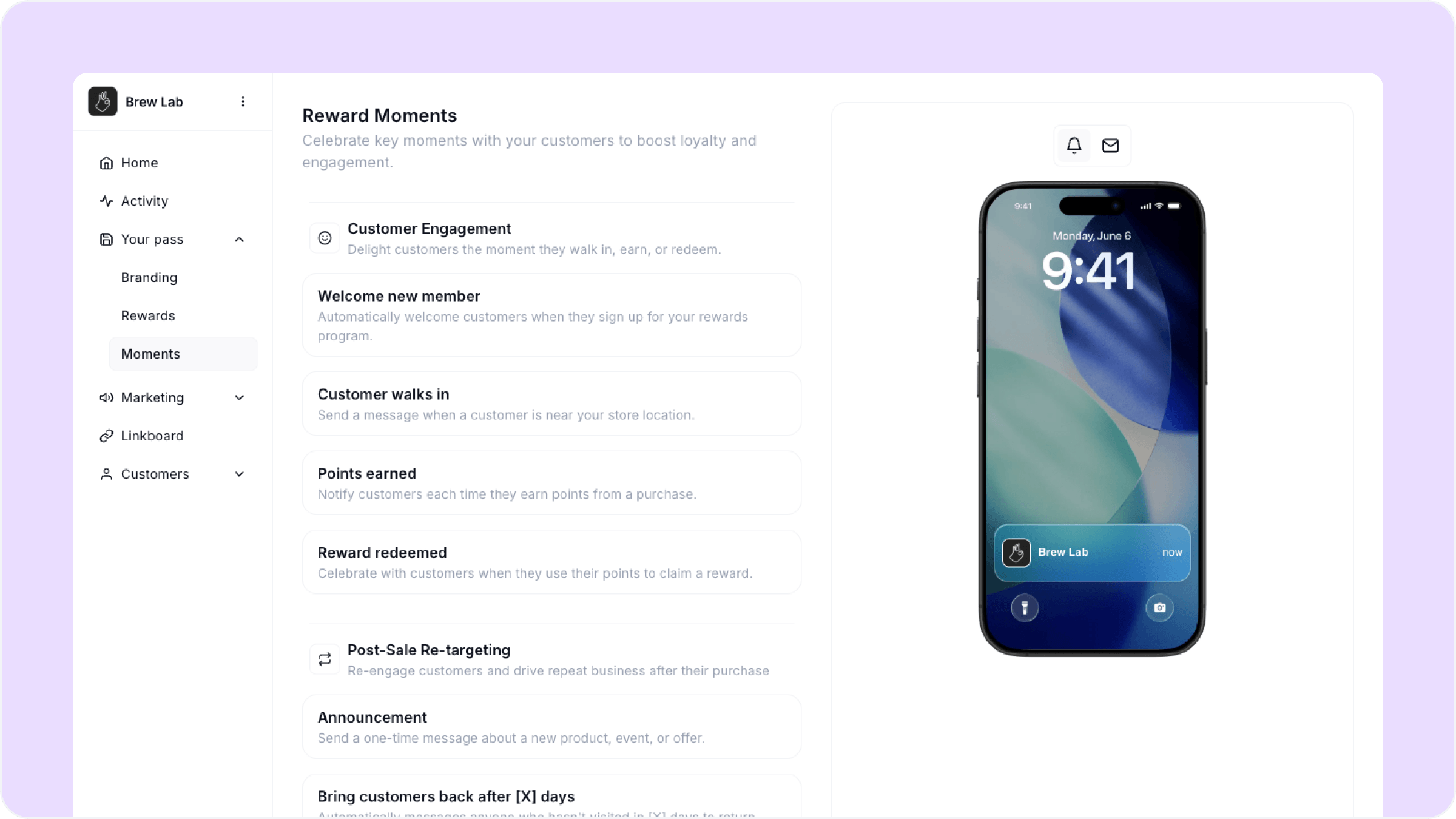
Reward Moments are automated push notifications and emails that fire based on what your customers do. You set them up once and they run in the background on their own — welcoming new members, bringing back people who haven't visited in a while, and making customers feel remembered on their birthday.
To get here, go to Your pass, then Moments in your dashboard.
Moments are available on the Loyalty and Growth plans. If you are on Starter you will see the Moments page but will need to upgrade to enable them.
The Moments
Moments are split into two categories: Customer Engagement and Post-Sale Re-targeting.
Customer Engagement
These fire automatically based on customer activity at your store.
Welcome new member Sends automatically when a customer saves your pass for the first time. You can customize the message and optionally gift bonus points as a sign-up incentive to get them excited from the start.
Customer walks in Sends a notification when a customer is near your store location. Useful for driving foot traffic from people who already have your pass.
Points earned Notifies customers each time they earn points from a purchase. Keeps them engaged and aware of their progress.
Reward redeemed Sends automatically when a customer redeems a reward. A great moment to celebrate with them and reinforce the value of your program.
Post-Sale Re-targeting
These fire based on time and customer behavior after a visit.
Announcement A one-time message you send manually to all your customers about a new product, event, or offer. Not automated — you send this when you have something to say.
Bring customers back after X days Automatically messages anyone who has not visited in a set number of days. You choose how many days trigger the message, customize what it says, and optionally gift bonus points to sweeten the incentive.
Celebrate birthdays Automatically sends a birthday message on a customer's birthday. You can customize the message and optionally gift bonus points as a birthday reward.
Thank you after a visit Automatically sends a thank-you message after every visit. You choose how long after the visit the message goes out and can optionally gift bonus points to encourage their next visit.
How to configure a Moment
Each Moment works the same way:
Click on the Moment you want to set up
Write or edit the message your customers will receive
Choose whether to send as a push notification, email, or both
Set any timing or point gifting options where available
Enable the Moment and save
Start with Welcome new member, Bring customers back, and Thank you after a visit. These three cover the full customer lifecycle and take less than five minutes to set up.
FAQs
Can I send both push notifications and email for the same Moment? Yes. For each Moment you can choose push, email, or both.
Can I edit a Moment after it is enabled? Yes. You can update the message, timing, or settings at any time without disabling the Moment.
What plan do I need to use Moments? Loyalty and Growth. Starter includes points earned and reward redeemed notifications but the full Moments suite requires an upgrade.
Can I gift points through a Moment? Yes. Welcome new member, Bring customers back, Thank you after a visit, and Celebrate birthdays all let you attach bonus points to the message.
Next steps
Printing your counter flyer
Setting up your scanner
Ways customers can join