Adding and editing redeemable rewards
Manage what customers can redeem their points for and keep your rewards working for your business.
Overview
Redeemable rewards are what customers work toward. You can add as many as you want, set them at different point thresholds to create tiers, and edit or remove them at any time. Your full rewards list lives at Your pass, then Rewards in your dashboard.
Adding a new reward
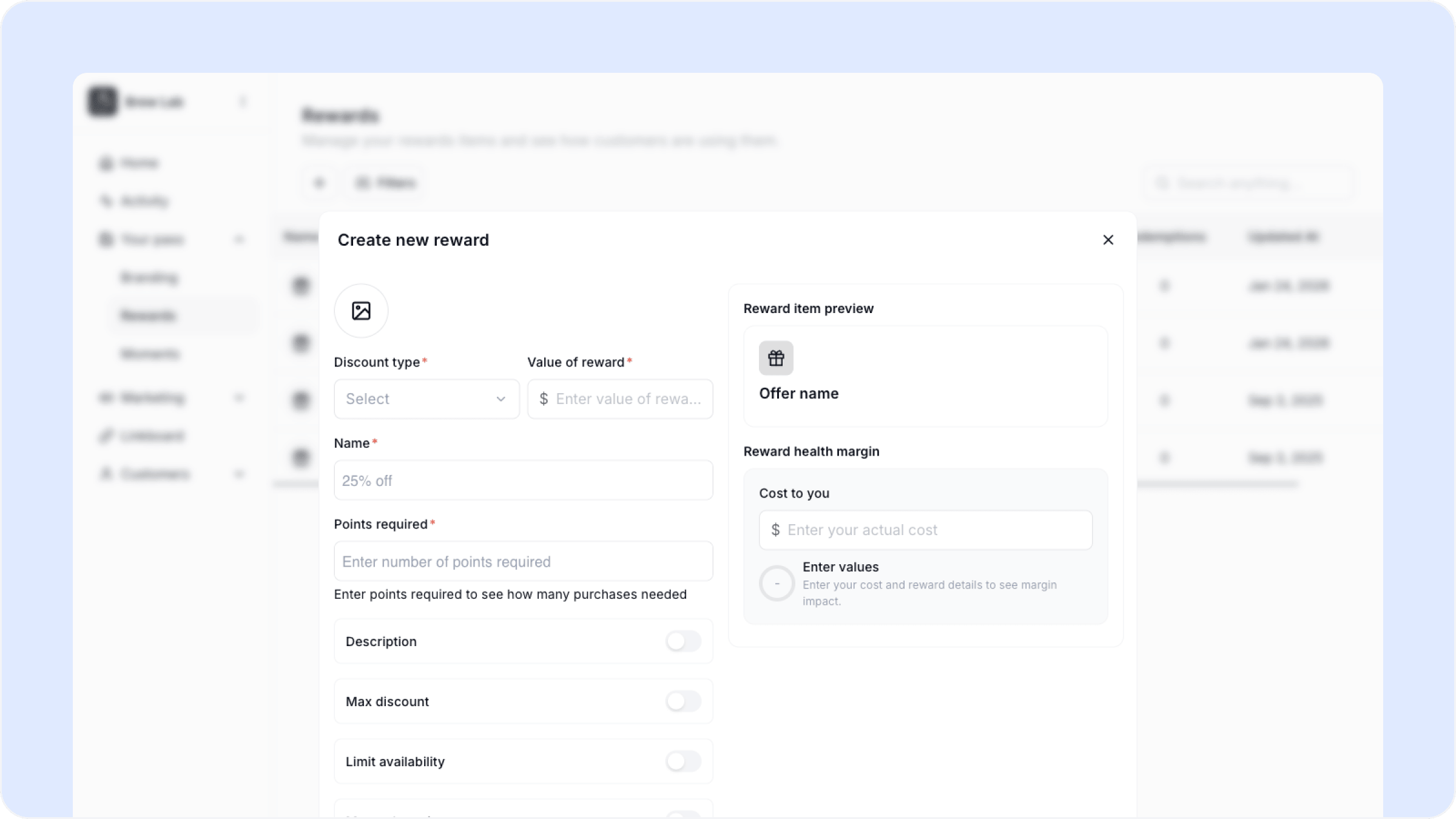
Click the plus icon at the top of the Rewards page to create a new reward. Fill in:
Discount type — Amount off, percentage off, or free item
Value of reward — The dollar or percentage value of the discount
Name — What the customer sees, for example Free Necklace or 15% Off Next Purchase
Points required — How many points a customer needs to redeem this reward
A preview of how the reward appears to customers updates on the right as you fill it in. Once you are happy with it click Create Reward.
Reward health margin
When creating or editing a reward you can optionally enter your actual cost for that reward. Worthify will calculate the margin impact so you can see exactly what each redemption costs your business before you commit to it.
This is optional but worth using if you want to make sure your rewards are sustainable.
Editing an existing reward
Click the pencil icon next to any reward in your list to edit it. You can update any field including the discount type, value, name, and points required. Click Update Reward to save your changes.
Deleting a reward
Click the trash icon next to any reward to delete it. Customers who have already earned enough points to redeem that reward will no longer be able to claim it once it is removed.
If you want to retire a reward without removing it abruptly, consider raising the points required first so new customers cannot easily reach it, then remove it once existing eligible customers have had a chance to redeem.
What you can see in your rewards list
The rewards page shows you a summary of every reward including:
Required points to redeem
Quantity available if you have set a limit
Max discount cap
Max redemptions per customer
Total redemptions to date
Last updated date
FAQs
Can I add more than one reward? Yes. You can add as many rewards as you want at different point thresholds to give customers something to work toward at every stage.
Do changes to a reward affect customers who have already earned it? Customers who already have enough points to redeem a reward can still do so after you edit it. The updated terms apply to future redemptions.
Can I limit how many times a reward can be redeemed? Yes. You can set a max quantity and a max redemptions per customer when creating or editing a reward.
Will customers be notified when I add a new reward? No. If you want to let customers know about a new reward use the Announcement Moment to send them a message.
Next steps
Editing your rewards program
Setting up Reward Moments
Tips to increase retention